
What Has to Be on a Food Package: Required Label Elements
The label elements FDA requires on packaged food, which panel each one goes on, and a front-and-back layout for a bag of cookies.


Three of the FDA's Nutrition Facts layouts for packaged food are vertical, dual column (per serving and per package) and linear for small packages. Which one applies depends on how much label space the package has and how many servings it holds.
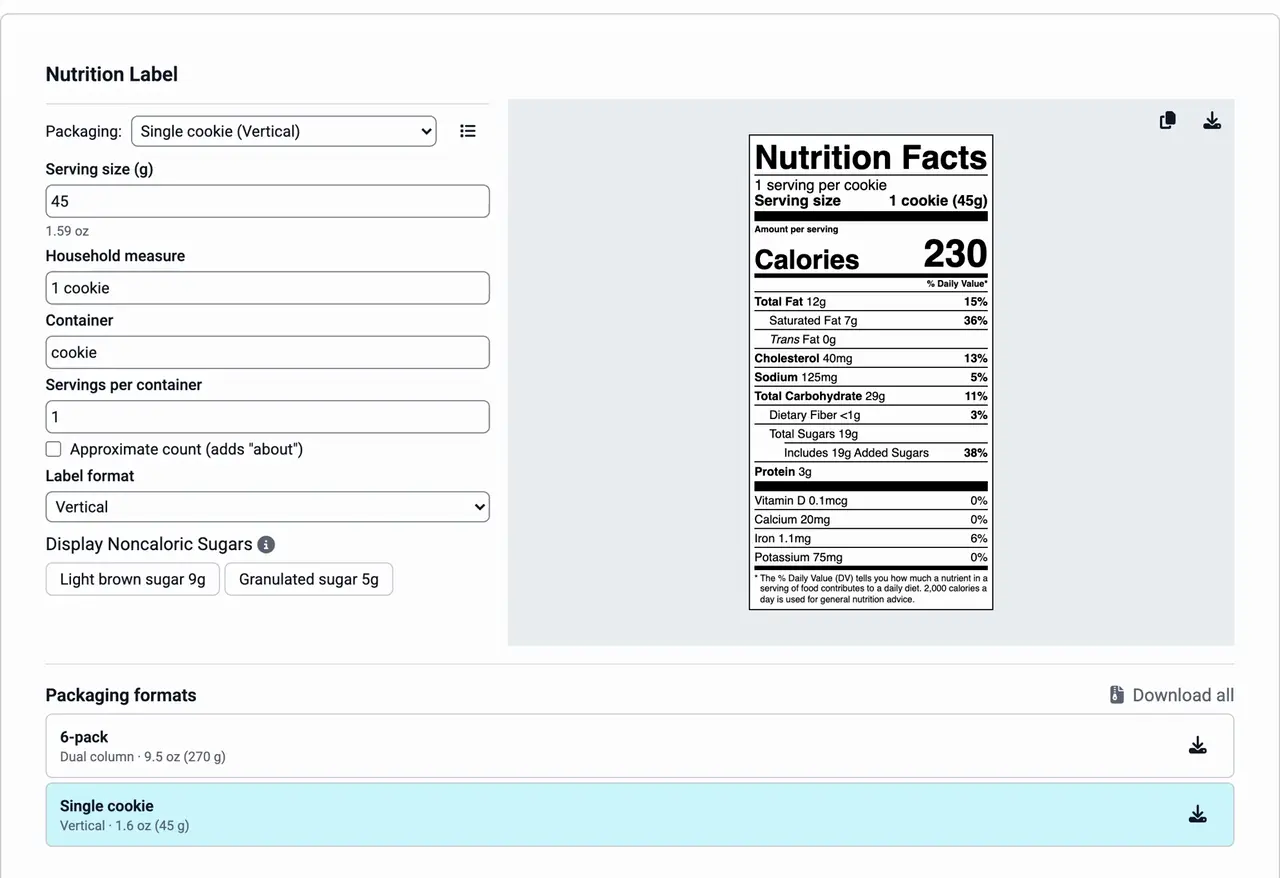
Vertical
The vertical label is the stacked panel most packaged food carries: serving size, calories, then each nutrient on its own line with its % Daily Value down the right side. The FDA's labeling rule, 21 CFR 101.9, treats it as the default. Use it when the package has room for it and neither of the other two formats applies. A large bag of granola with eight servings takes a vertical label.
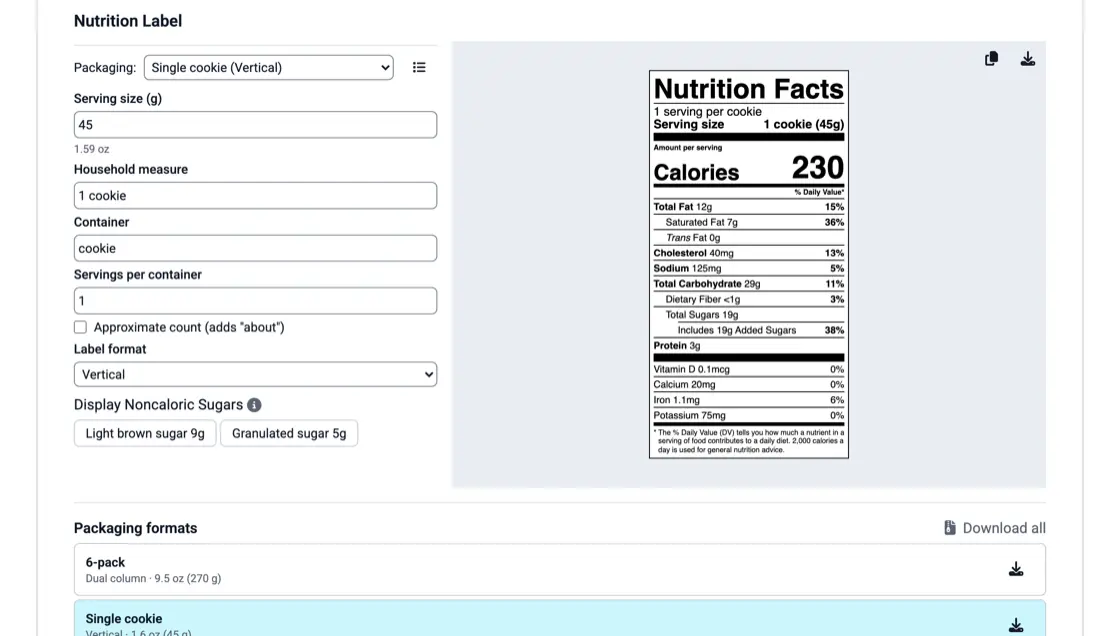
Dual column
Some packages hold more than one serving but could be eaten in one sitting. The FDA requires a dual column label when a package holds at least 200% and up to 300% of the reference amount for its food category (the RACC). One column gives the nutrition for a serving and the other for the whole package. A 3 oz bag of chips, where the reference amount is about 1 oz, is a common example. The rule has exceptions, so check it for your product.
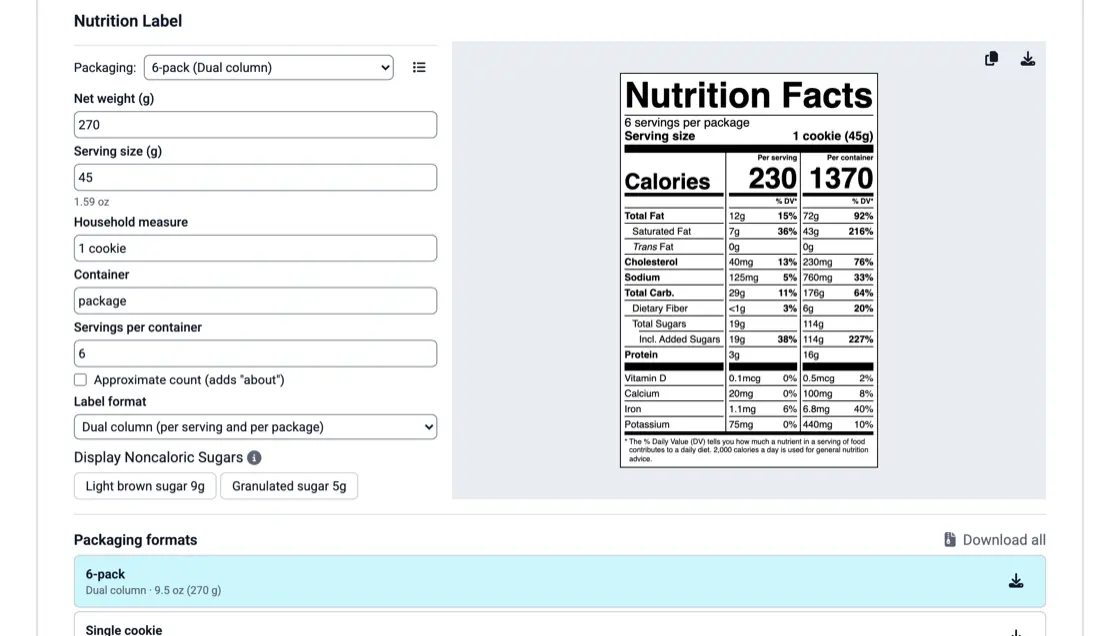
Linear
The linear label prints the same facts as a run of text instead of a table: serving size, calories, then each nutrient and its % Daily Value in a sentence. The FDA allows it only on packages with 40 square inches or less available for labeling, and only when a tabular label will not fit. A small tin of mints or a single wrapped caramel is the kind of package it exists for.
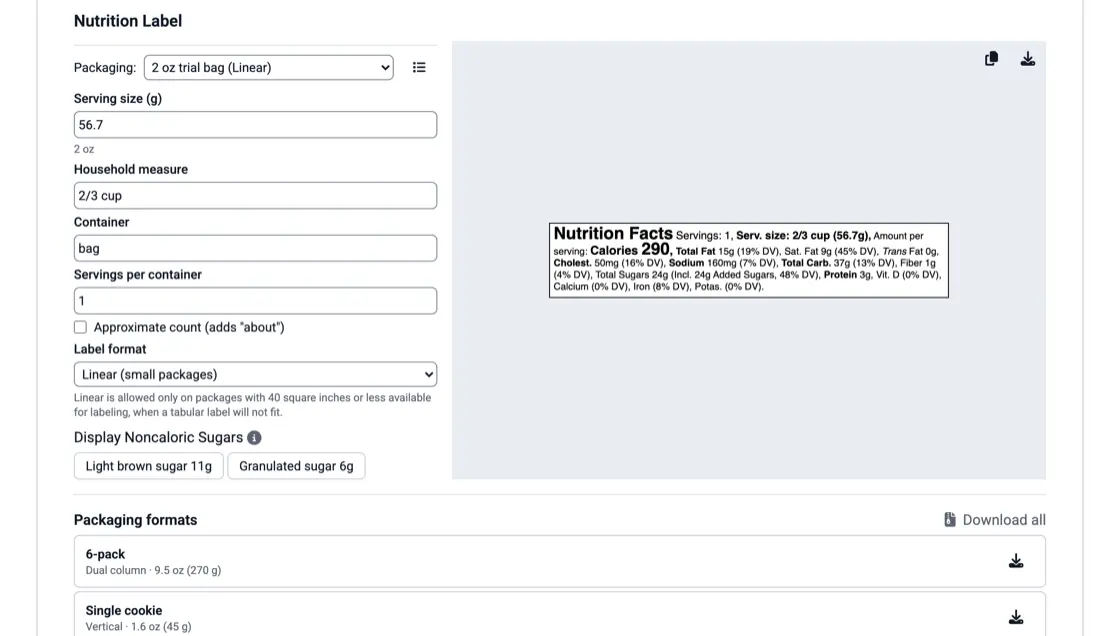
In KitchenSync
KitchenSync is nutrition label and recipe costing software for food businesses. Each packaging format has a Label format setting: Vertical, Dual column or Linear. Choose Dual column and the app asks for the package's net weight, then prints the per package column from it. When a vertical label has two to three servings per container, a note reminds you to check the dual column rule. You make the call; the app draws the label. Export is covered on the nutrition label generator page.
The label elements FDA requires on packaged food, which panel each one goes on, and a front-and-back layout for a bag of cookies.

Find your product's FDA reference amount, turn it into a cup, spoon or piece, and count servings, with cookie, granola and hot sauce examples.

What counts as added sugars, how to calculate them for a recipe, when to declare sugar alcohols, how allulose is handled, and the 50 g Daily Value.
When the package holds at least 200% and up to 300% of the FDA reference amount (RACC) for that food. The label then shows nutrition per serving and per package. Look up the reference amount for your food category first, because it sets the threshold.
No. The FDA allows the linear format only when the package has 40 square inches or less available for labeling and a tabular label will not fit. If a table fits, use the table.
Yes. In KitchenSync the format is saved with each packaging format. A recipe sold in a large bag and a snack pack can carry a vertical label for one and a dual column or linear label for the other.
Choose vertical, dual column or linear on each packaging format and preview the label as you type. Start free.
Sign Up Free →Need more recipes? See KitchenSync plans and pricing