Scaling a Home Recipe to Production Batches
Convert a home recipe to grams and baker's percentages, scale it to a target yield, and plan for the parts that don't scale in a straight line.

Every event has its own menu, headcount and client requests. KitchenSync is nutrition label and recipe costing software for food businesses, and caterers use it to keep a version of a dish per client, scale batches and cost a menu before quoting it.
Client requests
A client wants the short rib without dairy, or the salad without nuts. Open the recipe, choose New version and make the change there. The house recipe stays as the primary version and the client's version sits beside it in the same dropdown, ready the next time they book. See recipe versioning.
Quoting
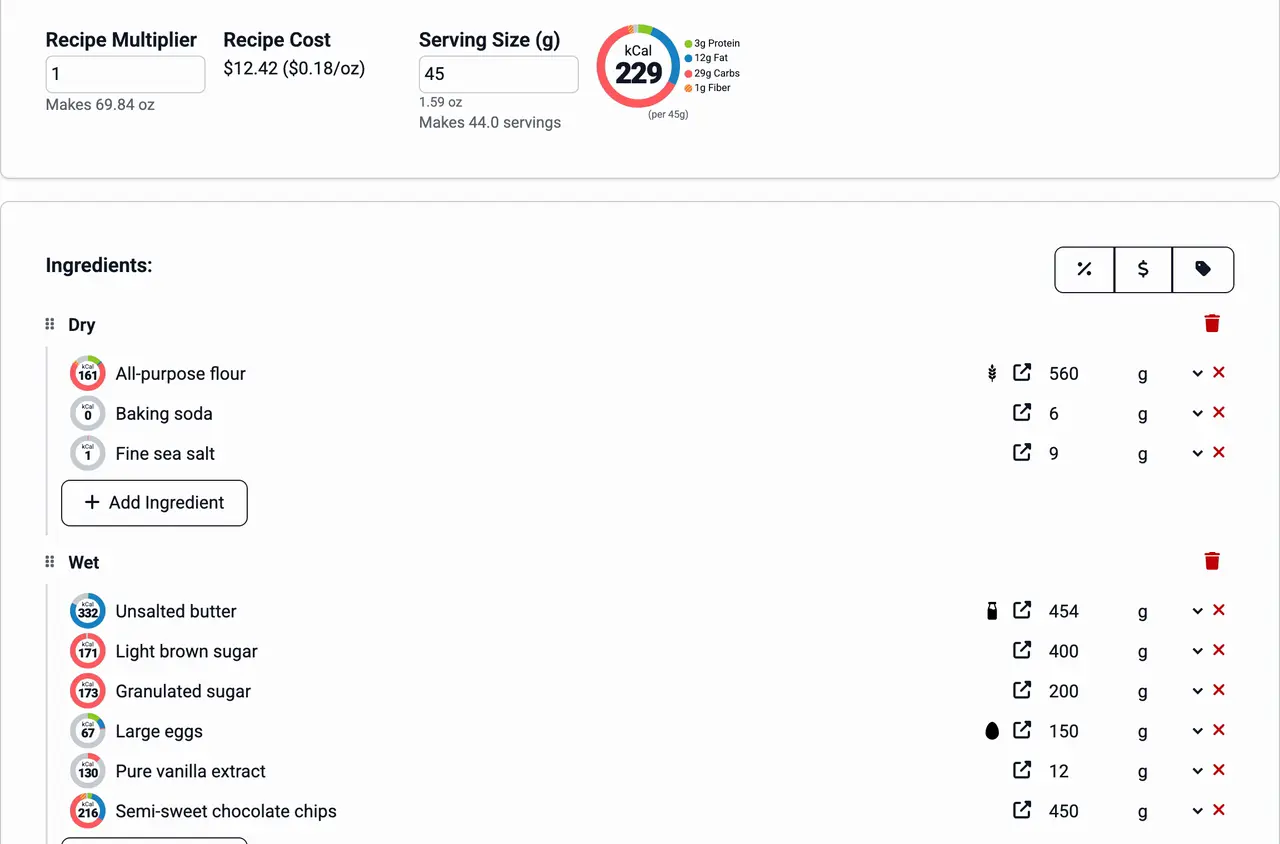
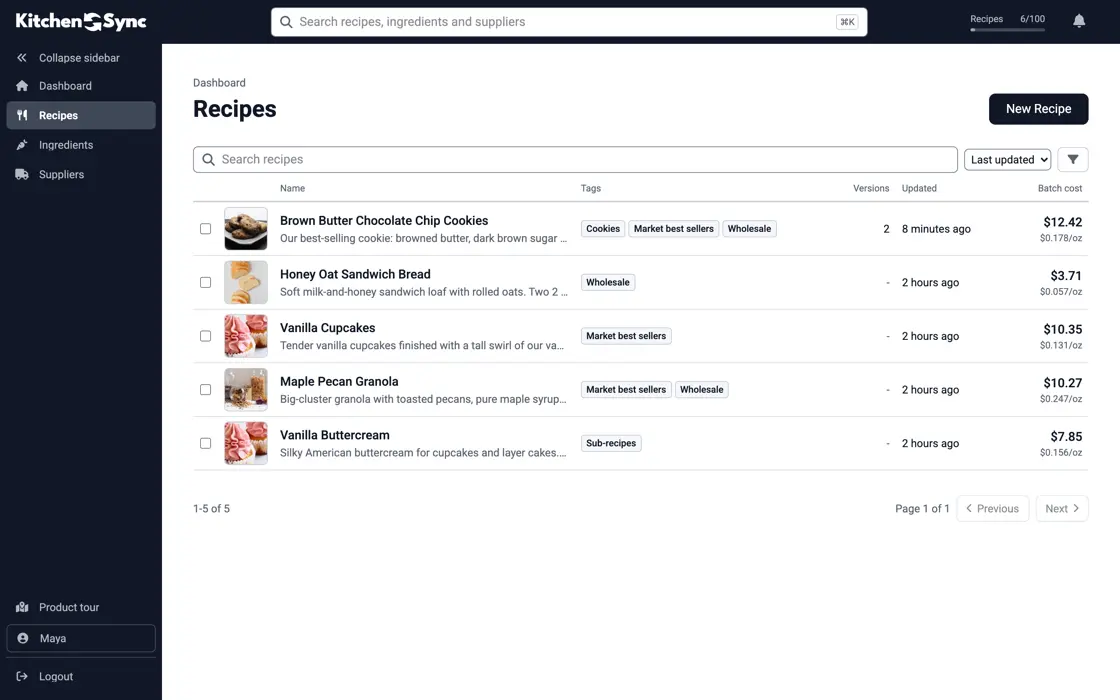
Catering is priced per event, so the number you need is what the food for that event costs. Each recipe shows its batch cost from your ingredient prices. Set the recipe multiplier to three or ten batches and every amount and the batch cost scale with it. Add up the dishes on the menu and you have the food cost behind the quote. See recipe costing.
Components
A chimichurri, a pie dough or a braised filling shows up on several menus. Save each as its own recipe and add it as an ingredient to the dishes that use it. You write the component once, and its cost carries into every dish and every quote that includes it. See recipes inside recipes.
Allergens
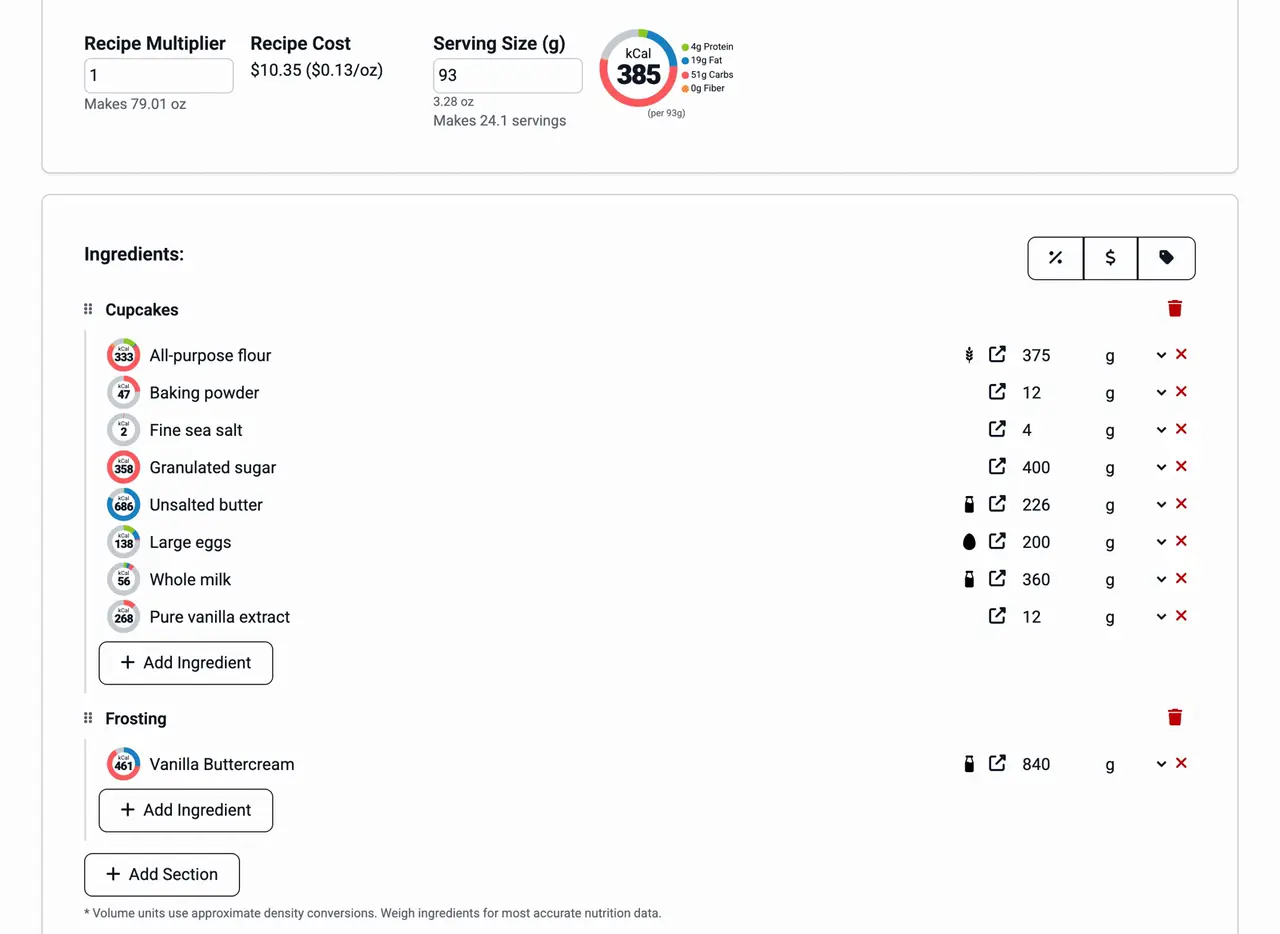
Planners and venues ask for allergen information before the event. Each recipe has an allergen statement with Contains and May contain lines and a copy button, so you can paste it into a menu card, a buffet sign or an email. The ingredient list copies the same way, in descending order by weight. Read both against your suppliers' labels before you send them.
Recipe library
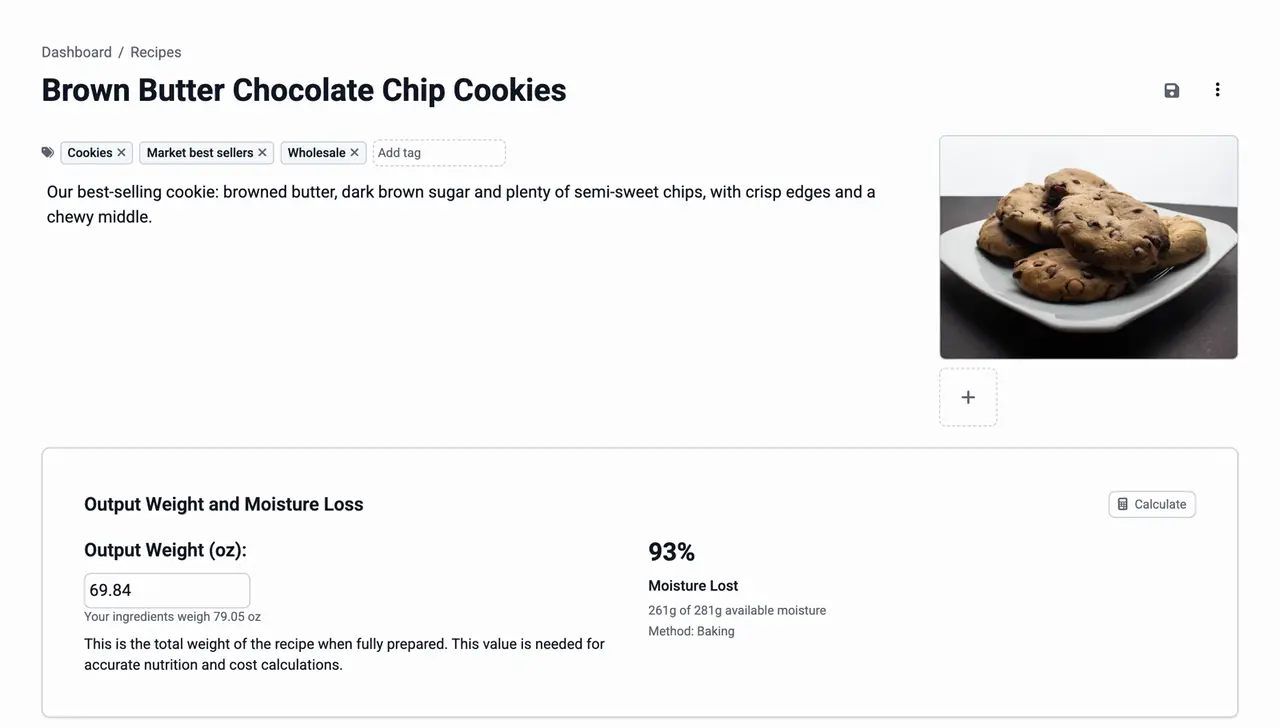
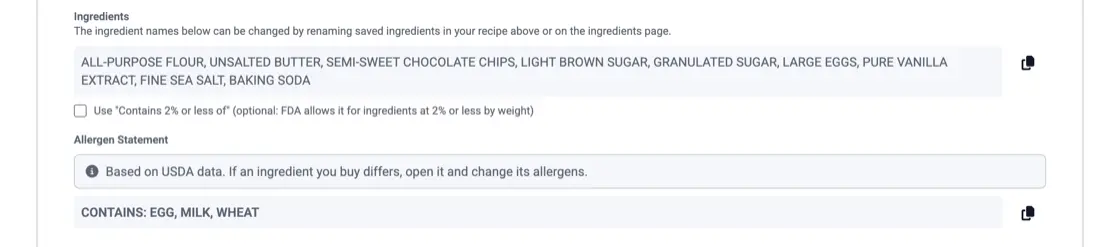
Tag recipes by cuisine, course or event type, add a photo of the finished dish, and write the method in the instructions. Search covers the whole library, so when a client asks for the dish from last year's party you can open it, with the version they had. See recipe management.
Convert a home recipe to grams and baker's percentages, scale it to a target yield, and plan for the parts that don't scale in a straight line.
Log each purchase, compare suppliers by price per gram, review on a schedule, and decide when to reprice, reformulate or change pack size.

The nine major allergens, whether you need a Contains statement, naming the nut or fish, FDA's 2025 tree nut list, sesame, and "may contain".
Start with food cost. Enter each dish and your ingredient prices, set the multiplier to the number of batches the event needs, and add up the batch costs. Then add your labor, rentals, travel, overhead and margin. KitchenSync gives you the food cost; the rest is yours to set.
Yes. The recipe multiplier scales every ingredient amount at once. Set it to the number of batches the event needs and read the amounts and the batch cost from the recipe.
Usually not for food served at an event. Packaged items you sell at retail, such as boxed cookies or jarred sauce, fall under packaged food labeling rules, and KitchenSync makes a Nutrition Facts label from the recipe when you need one. Ask your health department what applies to you.
Put your dishes, client versions and ingredient prices in one place. Start free.
Sign Up Free →Need more recipes? See KitchenSync plans and pricing