
Recipe Costing Software for Small Food Businesses
Enter what you pay each supplier and KitchenSync calculates what every batch and every serving costs, using the lowest unit price you have on file. Change a recipe and the cost updates with it, next to the nutrition label.
From supplier prices to cost per serving
- Add your suppliers. Keep each supplier's name and website in one list.
- Price your ingredients. For each ingredient, enter the price and package size from each supplier you buy from. KitchenSync turns every price into a unit price, so a 50 lb sack and a 5 lb bag can be compared directly.
- Build the recipe. Add ingredients and amounts by weight or by volume. KitchenSync uses the best (lowest) unit price for each ingredient to cost the recipe.
- Read the cost. The recipe shows the cost of the whole batch and the cost per serving, based on the yield and serving size you set.
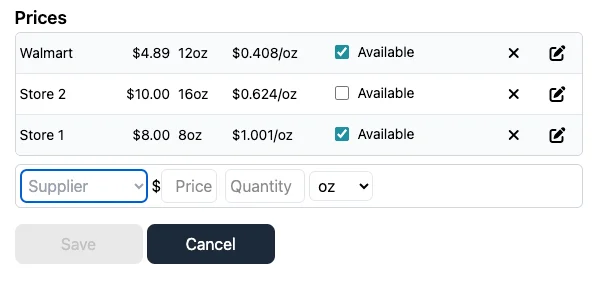
Why the best unit price matters
Most small producers buy the same ingredient from more than one place: a restaurant supply store for bulk, a grocery store when you run short, a specialty supplier for one ingredient. Recording every price lets KitchenSync pick the cheapest per unit of weight for your recipe cost, so you do not have to work it out by hand. Multiple supplier prices per ingredient are part of the Starter and Growth plans.
Costs that follow your recipe
Costing lives on the same recipe as the nutrition, so the two never disagree. Scale the recipe with the recipe multiplier and every amount, and the batch cost, scales with it. Save a recipe version to try a cheaper ingredient and compare its cost per serving with the original's before you commit.
If a sauce, dough or spice blend goes into several products, make it a recipe and use it as an ingredient in the others. Its nutrition carries through, but its cost does not yet: give the base ingredient its own price (for example, the batch cost as the price for the batch yield) so the products that use it are costed correctly. Nested recipes are available on the Starter and Growth plans.
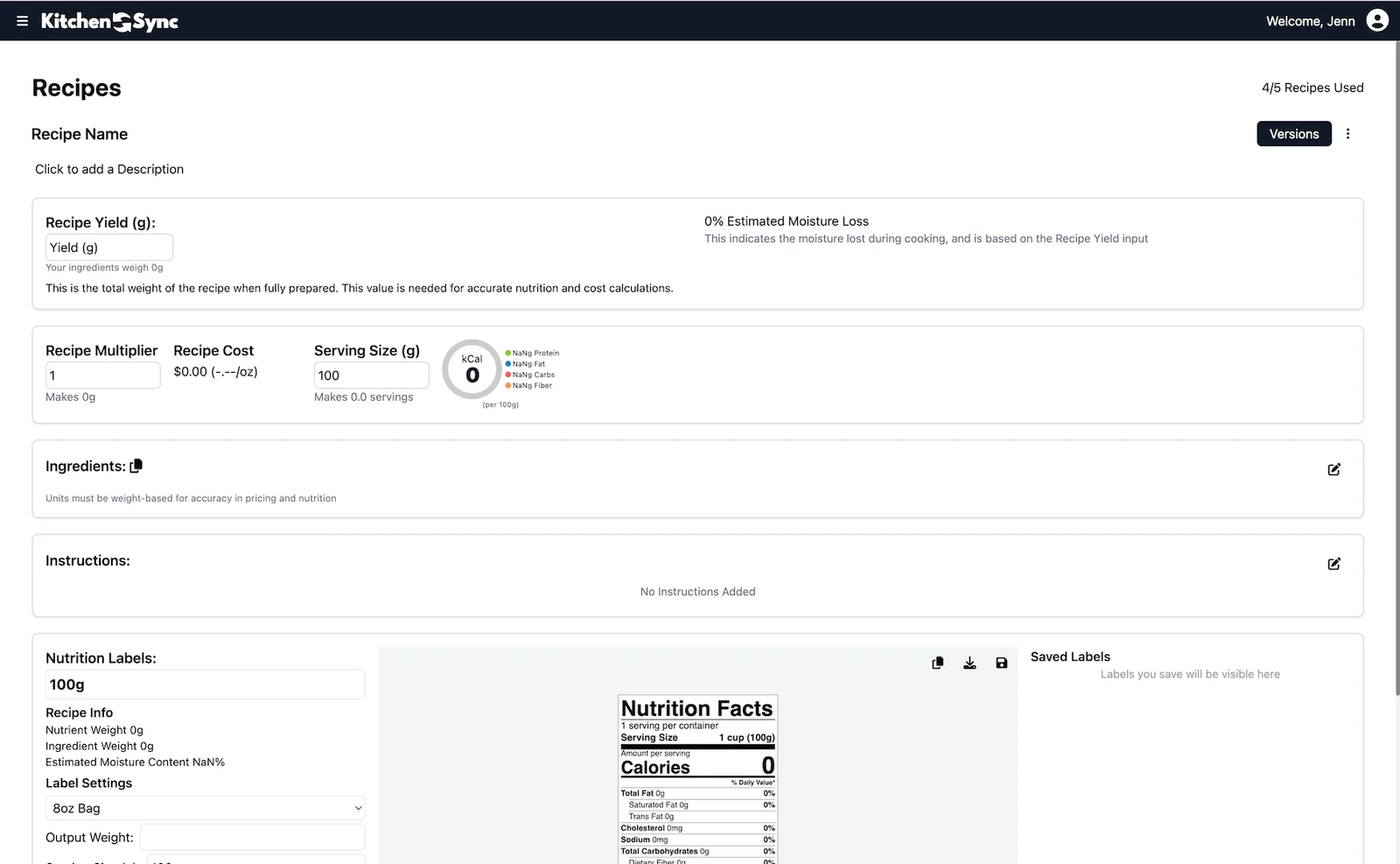
Prices in the unit you think in
Set your display unit preference to grams, ounces, pounds or kilograms, and prices across the app are shown per that unit. Recipes still accept both weight units (g, kg, oz, lb) and volume units (tsp, tbsp, cup, fl oz, pint, quart, gallon, ml, liter); volume is converted to weight with USDA density data or a custom density you set per ingredient, so a cup of flour is costed by what it weighs.
Try the math first
If you want to see how food cost percentage works before signing up, use the free food cost calculator. It does the same per-ingredient arithmetic in your browser, without saving anything. KitchenSync does it for every recipe automatically and keeps your supplier prices, so you do not re-enter them each time.
What it costs
Recipe costing is included on every plan. Free covers one recipe; Starter is $14.99/month for 25 recipes and Growth is $29.99/month for 100 recipes, both with multi-supplier costing and nested recipes. See the pricing page.
Frequently asked questions
How does KitchenSync calculate recipe cost?
Each supplier price you enter becomes a unit price. For every ingredient, KitchenSync uses the lowest available unit price, multiplies it by the amount in the recipe, and adds up the ingredients to get the batch cost. Cost per serving follows from the yield and serving size.
Can I track prices from more than one supplier?
Yes. On the Starter and Growth plans you can record prices from several suppliers per ingredient, and KitchenSync uses the best unit price.
Does costing work with cups and tablespoons?
Yes. Volume amounts are converted to weight with USDA density data or a custom density, then costed by weight.
Does recipe costing include labor or packaging?
KitchenSync costs the ingredients in a recipe from your supplier prices. Add labor, packaging and overhead to that figure when you set your selling price.
Related documentation
Try KitchenSync free
Free forever for your first recipe. No credit card required.
Sign Up Free →Need more recipes? See KitchenSync plans and pricing.