
Recipe Costing and Labels for Cottage Food Producers
Selling from your home kitchen means pricing products, knowing what is in them, and sometimes labeling them, usually without a spreadsheet you trust. KitchenSync keeps your recipes, costs, allergens and nutrition in one place, and starts free.
Do cottage food products need a Nutrition Facts label?
Often not. Many state cottage food laws, and the FDA's small business exemption, do not require a Nutrition Facts panel. But making a nutrient content claim or a health claim (for example "low fat" or "high protein") generally removes the exemption, and the rules vary by state. Check your state's cottage food requirements before you print. KitchenSync makes the label when you need or want one; it does not decide whether you need it.
What matters most when you sell from home
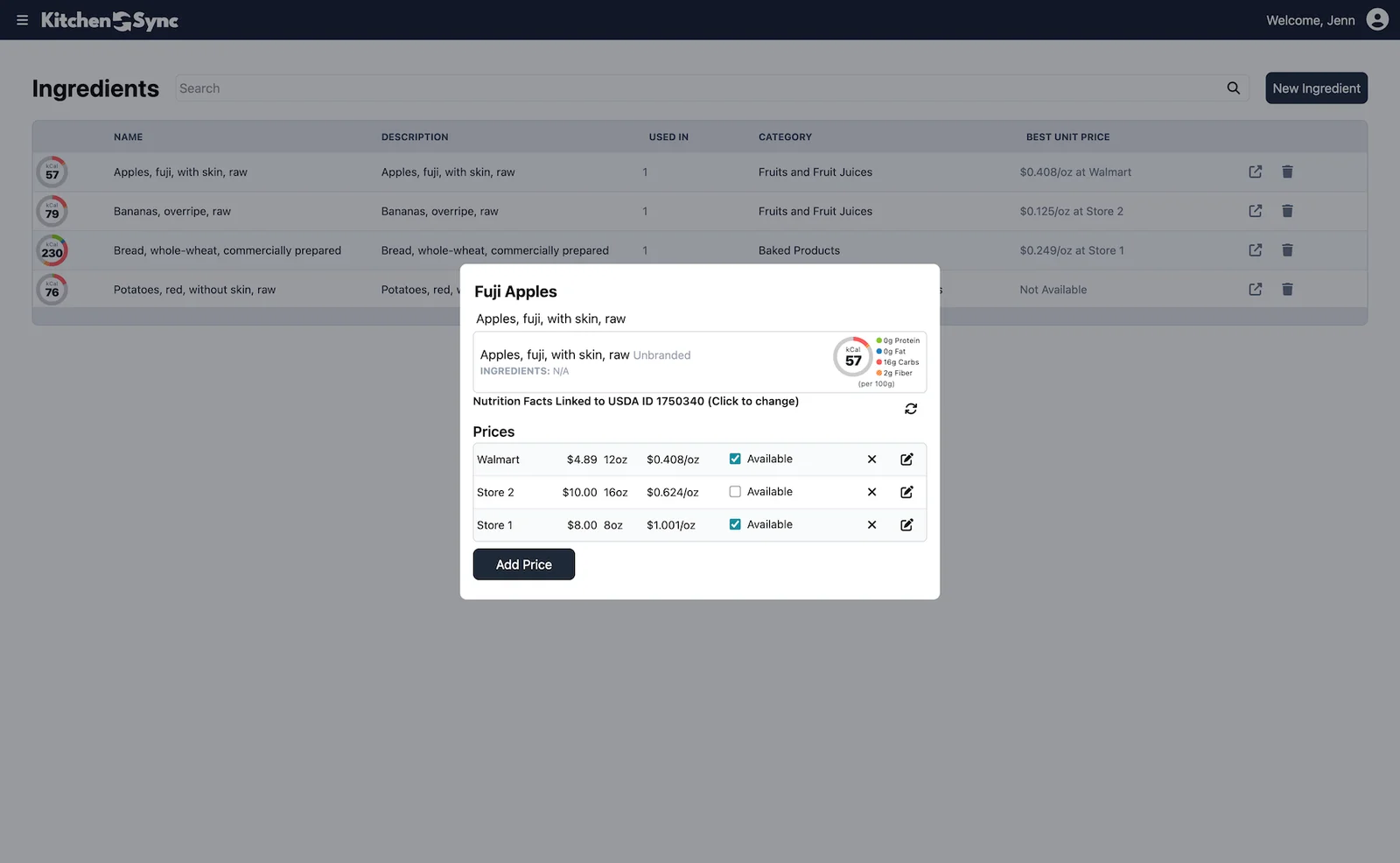
Knowing what each item costs you. Add the prices you pay for flour, butter, sugar and the rest, from the grocery store or a warehouse club, and KitchenSync costs every batch and every serving. If you buy the same ingredient in more than one place, the Starter plan records each supplier's price and uses the best unit price. That is the number you need before you set a price at a market table or for an order.
Measuring the way you bake. Home recipes are written in cups and tablespoons. KitchenSync accepts volume units (tsp, tbsp, cup, fl oz, pint, quart, gallon, ml, liter) alongside weight units, and converts volume to weight with USDA density data, or a density you set, so nutrition and cost are calculated by weight.
Scaling for a big order. The recipe multiplier scales every ingredient amount at once, so doubling a batch for a holiday order is one change, and the batch cost scales with it.
Knowing your allergens. KitchenSync flags the FDA's nine major allergens from USDA ingredient descriptions and shows them on the recipe. It can miss allergens from cross-contact or from sub-ingredients that are not listed, so treat it as a check and review your own ingredients. See allergen detection.
When you do want a label
If you make a claim, sell to a store that asks for one, or simply want to show customers the numbers, KitchenSync generates a Nutrition Facts label in the FDA format from the recipe: serving size, servings per container, calories, macronutrients with % Daily Value, and vitamins and minerals. Export it as a PNG or copy it to your clipboard. Labels are unlimited on every plan, with no per-label fees and no branding. See the nutrition label generator.
Growing past one product
The Free plan covers one recipe, which is enough to try everything above with your best seller. Starter is $14.99/month for 25 recipes and adds multi-supplier costing and nested recipes, so a frosting or dough can be its own recipe used inside others. Compare plans on the pricing page, or work out a price by hand first with the free food cost calculator.
Frequently asked questions
Do I need a nutrition label to sell cottage food?
Often not. Many state cottage food laws and the FDA's small business exemption do not require a Nutrition Facts panel, but a nutrient content or health claim generally removes the exemption, and rules vary by state. Check your state's requirements.
Can I enter my recipes in cups and teaspoons?
Yes. KitchenSync converts volume to weight with USDA density data or a custom density you set, then calculates nutrition and cost by weight.
Is the free plan enough for a cottage food business?
It covers one recipe with unlimited labels, recipe costing and allergen flags, and needs no credit card. Starter ($14.99/month) covers 25 recipes.
Related documentation
Try KitchenSync free
Free forever for your first recipe. No credit card required.
Sign Up Free →Need more recipes? See KitchenSync plans and pricing.