
Allergen Detection for the FDA's Nine Major Allergens
KitchenSync reads the USDA description of every ingredient in a recipe and flags the FDA's nine major food allergens, so the allergens in a product are visible on the recipe while you develop it, not discovered when you design the package.
The nine major allergens
The FDA recognizes nine major food allergens, and KitchenSync checks for all of them:
- Milk
- Eggs
- Fish
- Crustacean shellfish
- Tree nuts
- Peanuts
- Wheat
- Soybeans
- Sesame
How detection works
When you add an ingredient from USDA FoodData Central, KitchenSync checks that entry's description for each of the nine allergens. Detected allergens are shown as icons next to the ingredient, and the recipe's Packaging Label Text section shows a "CONTAINS:" line listing every allergen found across all of its ingredients.
Because the check runs on the ingredients in the recipe, it stays current as the recipe changes. Swap the butter for a plant-based fat, or save a new recipe version without the nuts, and the flags for that version reflect what is actually in it.
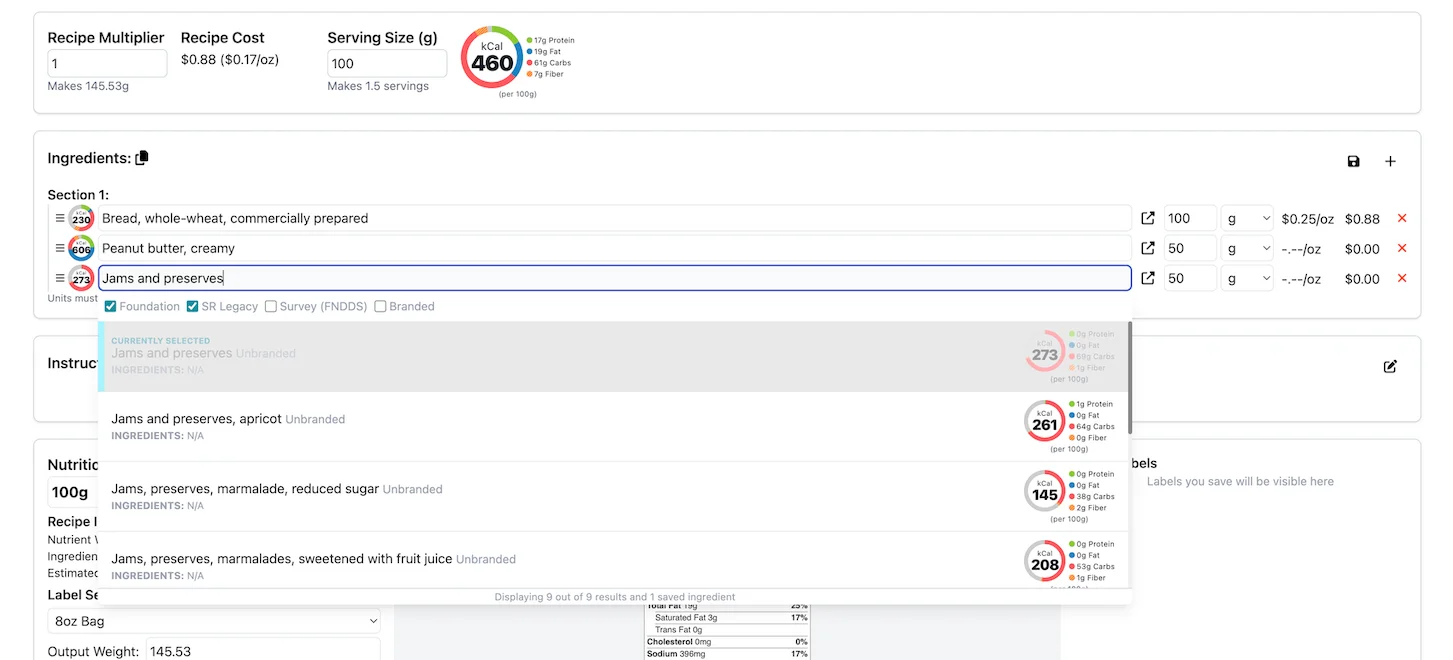
Which USDA entry you pick matters, because detection reads that entry's description. Choose the entry that matches what you actually buy, and see matching ingredients to nutrition data for how to change a match.
What it can miss
Automated detection is a first pass, not a substitute for reviewing your own ingredients. It works only from ingredient descriptions, so it can miss:
- Cross-contact. Shared equipment, shared facilities and supplier processing are not in a USDA description.
- Unlisted sub-ingredients. A component that is not named in the description, such as a flavoring or a coating, will not be flagged.
- Custom ingredients. Detection works from USDA descriptions, so check ingredients you create yourself by hand.
- Supplier changes. If a supplier reformulates, the USDA entry you linked does not change with it.
Read the labels and specification sheets of the ingredients you buy, and declare allergens on your packaging based on what you know about your products and your kitchen.
Allergens next to nutrition and cost
Allergen flags sit on the same recipe as the Nutrition Facts label and the cost per serving, so a reformulation shows its effect on all three at once. That is useful when you are developing a nut-free or dairy-free version of an existing product: duplicate it as a linked version, make the swap, and check the allergens, the label and the cost before you commit. See the nutrition label generator and recipe costing pages for how those work.
What it costs
Allergen detection is included on every plan, including the Free plan with one recipe. See the pricing page.
Frequently asked questions
Which allergens does KitchenSync detect?
The FDA's nine major food allergens: milk, eggs, fish, crustacean shellfish, tree nuts, peanuts, wheat, soybeans and sesame.
Where does the allergen information come from?
From the USDA FoodData Central description of each ingredient in the recipe. Detected allergens appear as icons on the ingredient and in the "CONTAINS:" line for the whole recipe.
Can I rely on it for my allergen statement?
Use it as a check, not as the final word. It can miss allergens from cross-contact, sub-ingredients that are not listed in a description, and supplier changes. Review your actual ingredients before declaring allergens.
Related documentation
Try KitchenSync free
Free forever for your first recipe. No credit card required.
Sign Up Free →Need more recipes? See KitchenSync plans and pricing.