
Recipe Costing and Labels for Farmers Market Vendors
At a market table, every price is a decision you make once and live with all season. KitchenSync tells you what each item costs to make, what is in it, and gives you a Nutrition Facts label when you need one. The Free plan covers one recipe.
Price from what it actually costs
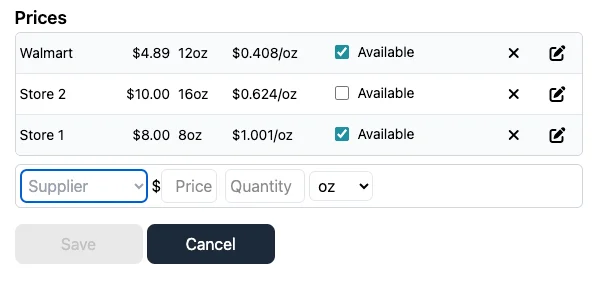
Market vendors buy ingredients wherever the price is right that week. Enter what you pay at each supplier and KitchenSync uses the best unit price for each ingredient to cost the batch and each serving (multi-supplier costing is on Starter and Growth). Set the serving to one jar, one loaf or one bag and you know your ingredient cost per item before you write the price card. Set your display unit to grams, ounces, pounds or kilograms so prices read the way you buy.
If you want to check a price by hand first, the free food cost calculator shows the arithmetic and suggests a price from a target food cost percentage.
Answer the allergen question
"Does this have nuts?" is the question you hear most. KitchenSync flags the FDA's nine major allergens (milk, eggs, fish, crustacean shellfish, tree nuts, peanuts, wheat, soybeans and sesame) from USDA ingredient descriptions, and shows them as icons on each ingredient and in a combined "Contains" line for the recipe, so the answer is written down rather than remembered. It can miss cross-contact from shared equipment and sub-ingredients that are not listed, so treat it as a check on your own knowledge. See allergen detection.
Labels when you are ready for shelves
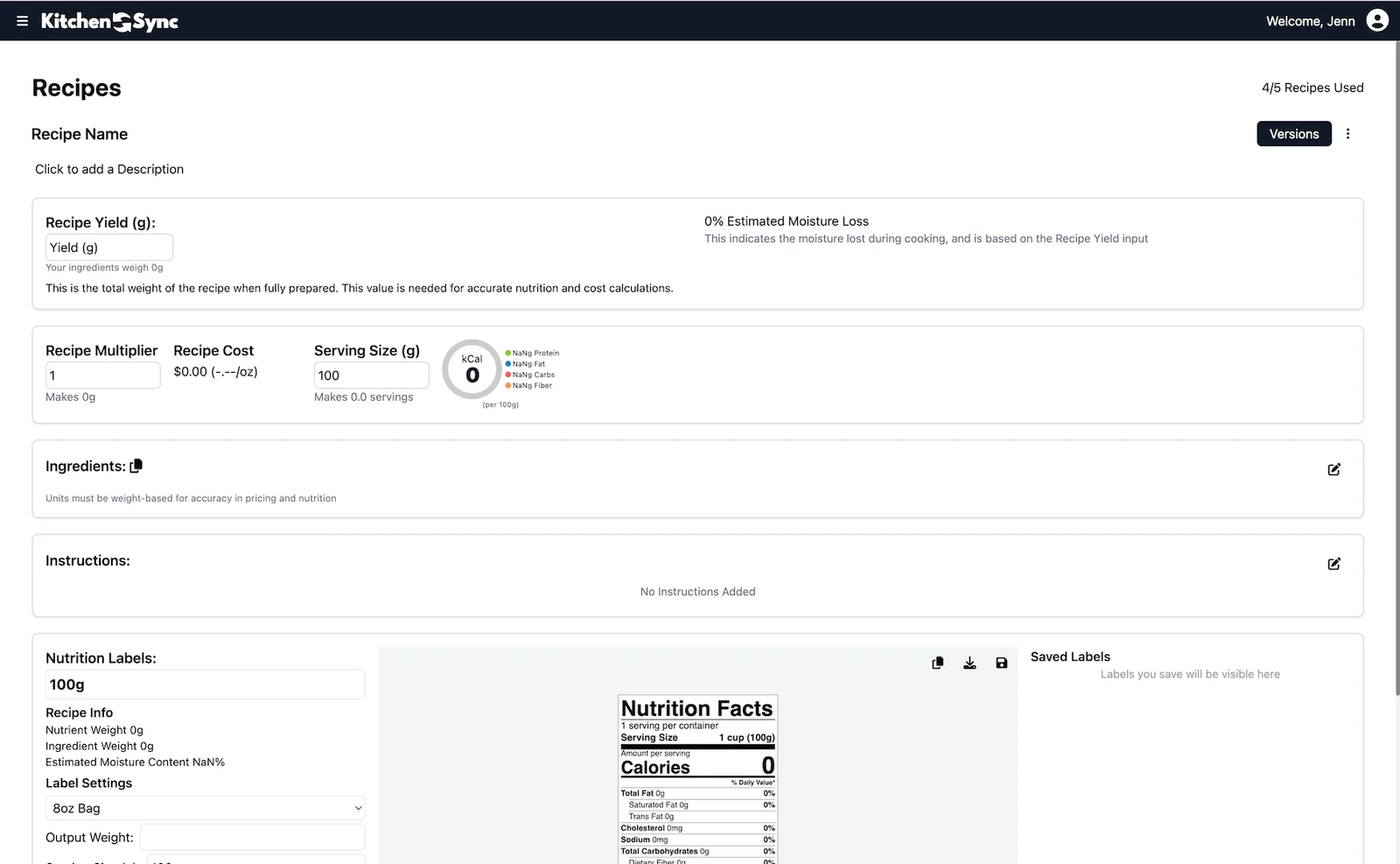
When a local shop or co-op offers to stock your product, it may ask for a nutrition label. KitchenSync generates a Nutrition Facts label in the FDA format from the recipe, with serving size, servings per container, serving description and % Daily Values, and exports it as a PNG or copies it to the clipboard. Labels are unlimited on every plan, with no per-label fees and no branding. Whether your product legally needs one depends on your situation and state; the cottage food page covers the usual exemption. See the nutrition label generator.
Seasonal batches and recipe changes
Market products change with the season: a summer berry jam, an autumn pumpkin bread. Duplicate a recipe as a linked version for each seasonal variation and mark the one you are selling as primary. Use the recipe multiplier to scale a test batch up to a market-day batch; every amount and the batch cost scale together.
Recipes accept weight units (g, kg, oz, lb) and volume units (tsp, tbsp, cup, fl oz, pint, quart, gallon, ml, liter). Volume is converted to weight with USDA density data or a custom density you set, so home-kitchen measurements still give accurate nutrition and cost.
Plans
The Free plan covers one recipe with no credit card: enough to cost and label your best seller. Starter is $14.99/month for 25 recipes and Growth is $29.99/month for 100. See the pricing page.
Frequently asked questions
Can KitchenSync help me set prices?
It calculates the ingredient cost of each batch and serving from your supplier prices. Add packaging, booth fees and your time, then set the price. The free food cost calculator suggests a price from a target food cost percentage.
Do I need a nutrition label to sell at a farmers market?
It depends on your state and products. Many cottage food laws and the FDA small business exemption do not require one, but a nutrient content or health claim generally removes the exemption. Check your state rules.
Does KitchenSync work on a phone?
KitchenSync is a web app that runs in the browser, on a desktop or a mobile phone, with nothing to install.
Related documentation
Try KitchenSync free
Free forever for your first recipe. No credit card required.
Sign Up Free →Need more recipes? See KitchenSync plans and pricing.