How to Price Baked Goods From Your Real Cost per Unit
Build cost per unit from price per gram, real yield, packaging, labor and overhead, then set retail and wholesale prices. One batch worked through.


Add your ingredients and how many servings it makes. No account needed.
KitchenSync is nutrition label and recipe costing software for bakeries. Build each product from your doughs and fillings, export an FDA Nutrition Facts label for every package, and see the batch cost from the prices your suppliers charge.
Pack sizes
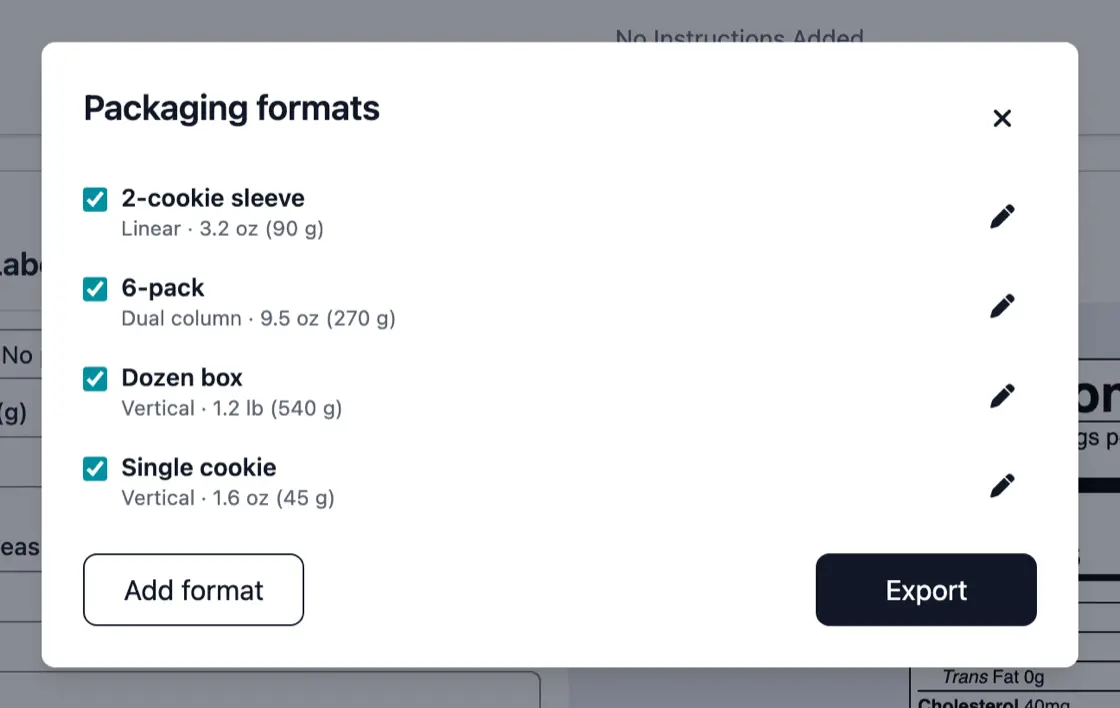
A cookie sold singly, in a six-pack and by the dozen needs three labels. Save each package once as a packaging format with its serving size, net weight and label format, then check the ones a recipe is sold in. KitchenSync previews each label as you work and downloads them one at a time or all together as a zip. The nutrition label generator page covers the export.
Costing
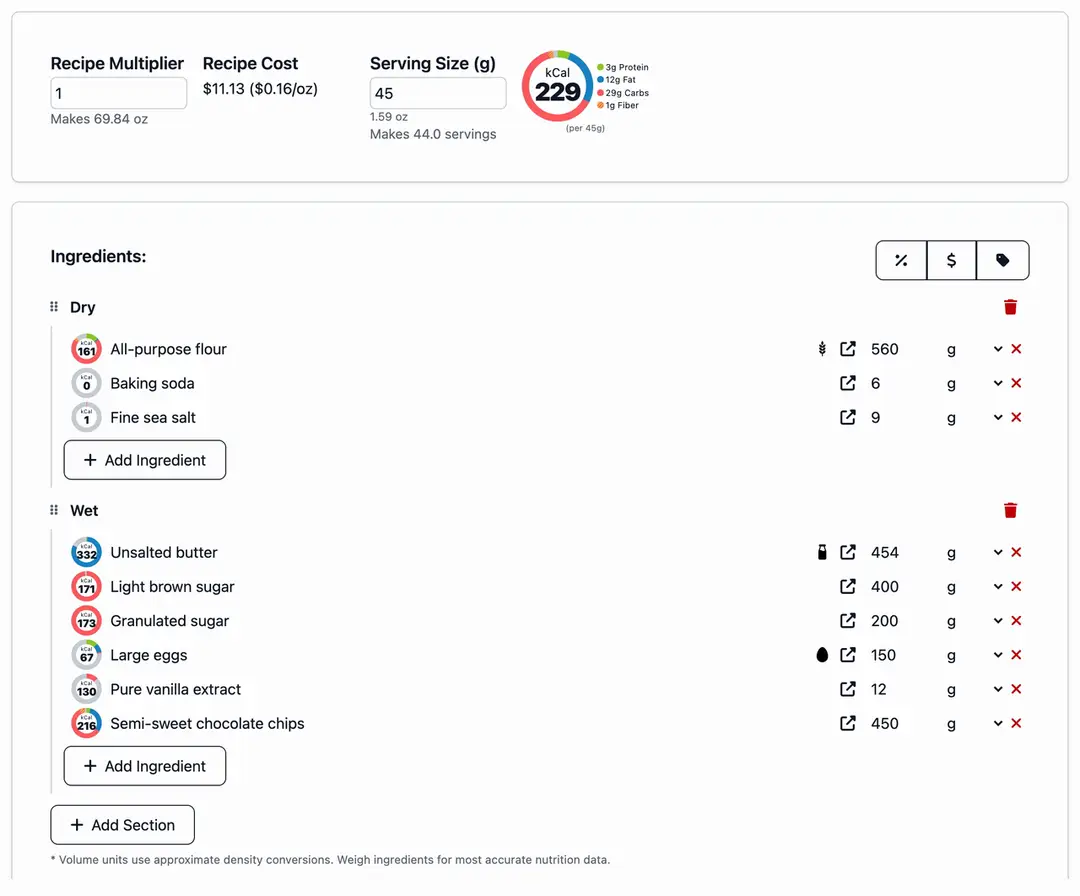
Flour comes from the distributor, butter from the warehouse club, chocolate from a specialty supplier. Record each price on the ingredient and KitchenSync costs the batch at the lowest unit price it has. See ingredient pricing for how supplier prices are kept. To work out what to charge for a cake or a dozen cookies, try the free bakery pricing calculator.
Base recipes
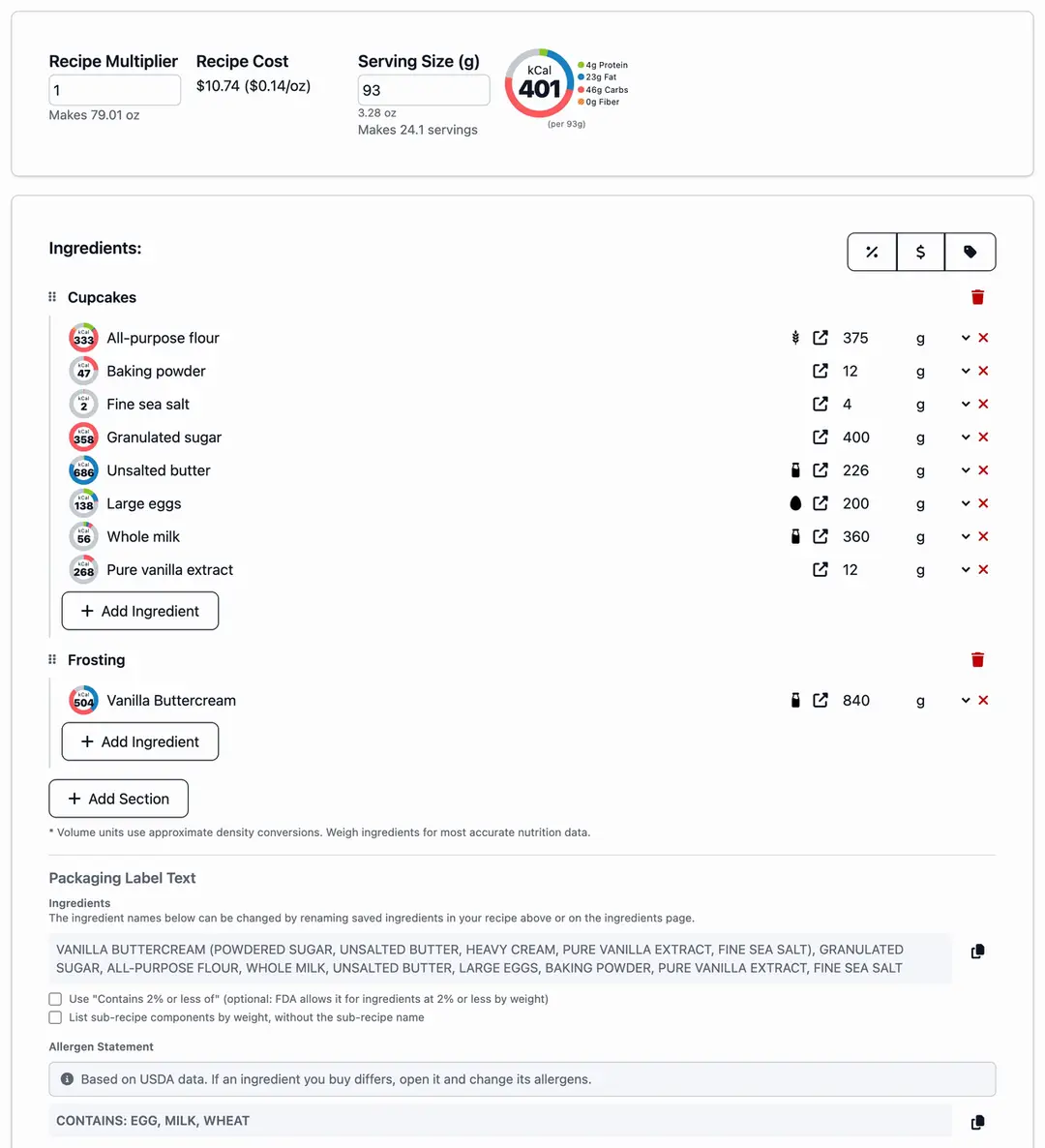
Enter the laminated dough, the pastry cream and the buttercream once, then add each one to a product the way you add flour. The product's nutrition and cost include everything inside them, and its ingredient statement names their components. When the price of butter changes, every product made with that dough is costed again. See recipes inside recipes.
Bake loss
A loaf weighs less out of the oven than the dough that went in. Choose the cooking method and the yield calculator estimates the baked weight from moisture loss, or weigh a finished batch and enter that number. The label and the cost per ounce then describe the product you sell. Recipe costing explains yield and unit cost.
Allergens
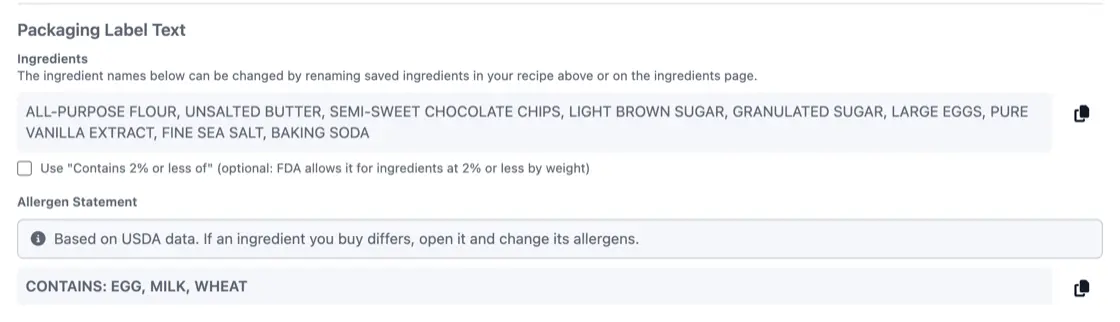
Most bakery products contain several of the FDA's nine major allergens. KitchenSync detects them from each ingredient's USDA description. If your chocolate or almond flour differs from the USDA entry, edit that ingredient once and every recipe that uses it is corrected. Shared mixers and sheet pans are yours to account for. See allergen detection.
Build cost per unit from price per gram, real yield, packaging, labor and overhead, then set retail and wholesale prices. One batch worked through.

Baking drives off water, so every gram of the finished product carries more nutrients. How to measure yield and put it into your label math.

A cup of flour can weigh 120 g or 160 g. How volume measuring throws off nutrition labels and food costs, and when a cup is close enough.
FDA rules require Nutrition Facts on most packaged foods, with exemptions that cover some bakeries, such as the small business exemption. A nutrient content claim generally removes an exemption. Check your own case with the FDA or your state agency. KitchenSync makes the label when you need one.
Yes, on every plan, including Free. Use any recipe as an ingredient in another, and its nutrition and cost carry into each product that contains it.
Three FDA formats: vertical, dual column (per serving and per package) and linear, which the FDA allows on small packages. You choose the format for each packaging format you save.
Build products from your doughs and fillings, then export a label for each package. Start free.
Sign Up Free →Need more recipes? See KitchenSync plans and pricing