
How to Track Ingredient Price Changes and Protect Your Margins
Log each purchase, compare suppliers by price per gram, review on a schedule, and decide when to reprice, reformulate or change pack size.


A food truck menu is short, and prices move from one shopping trip to the next. KitchenSync is nutrition label and recipe costing software for food businesses: enter what you pay at each store and it costs each menu item at the lowest unit price.
Shopping
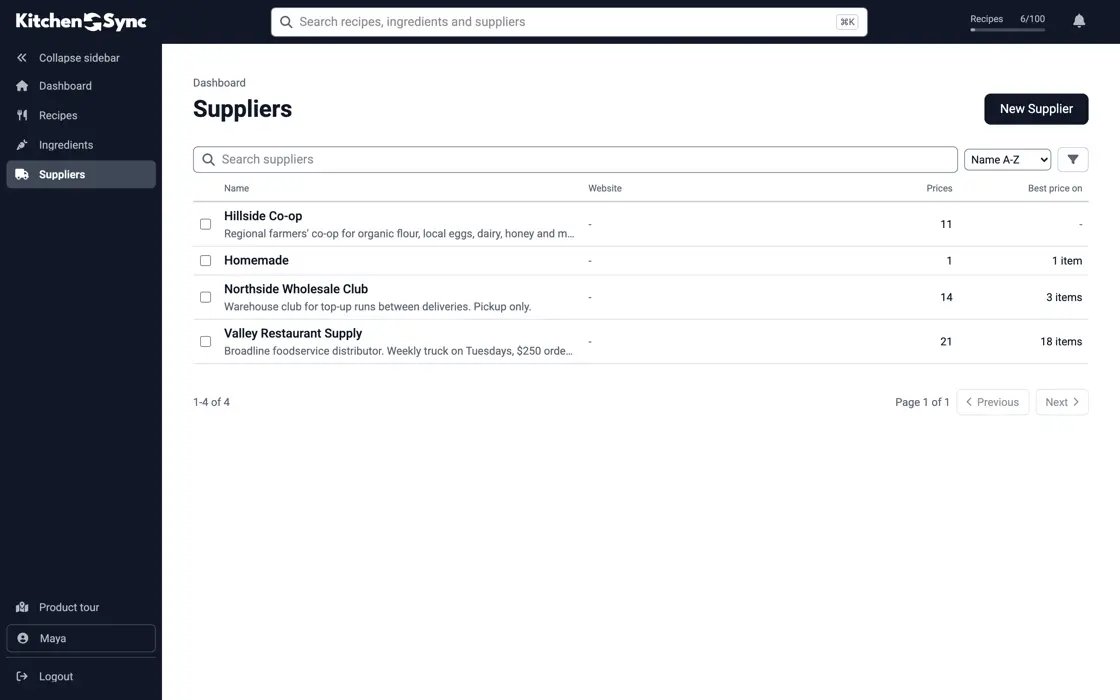
Most trucks buy from a restaurant supply store, a warehouse club and a produce vendor, and a case of chicken thighs costs something different at each. Add each price to the ingredient, creating the supplier as you type if it is new. KitchenSync costs your recipes at the lowest unit price, and the Suppliers page shows what each store charges. See ingredient pricing.
Menu pricing
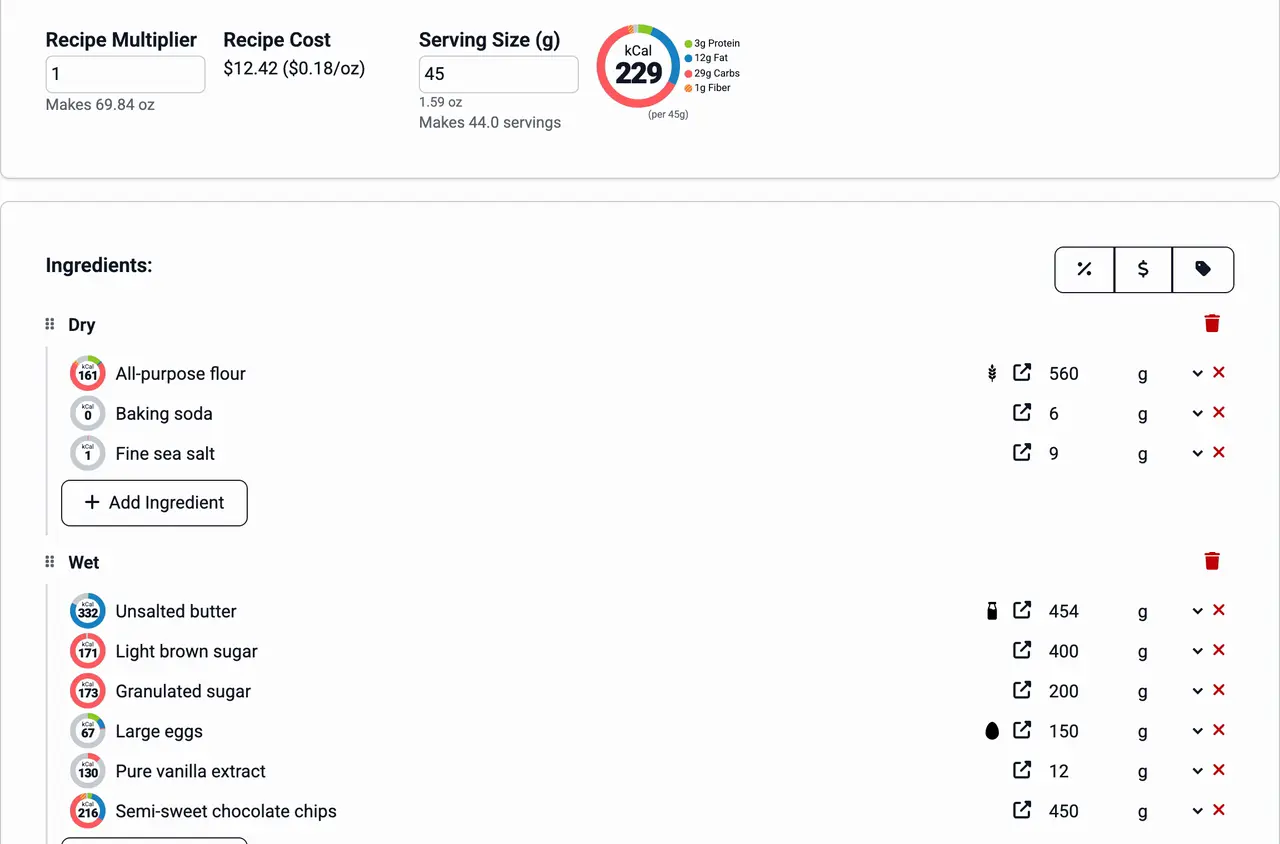
On a short menu, one underpriced item is a large share of sales. Enter each item as a recipe and read its batch cost and its cost per ounce or gram. When fryer oil or beef goes up, update the price once and check which items moved before you reprint the menu. See recipe costing.
Commissary prep
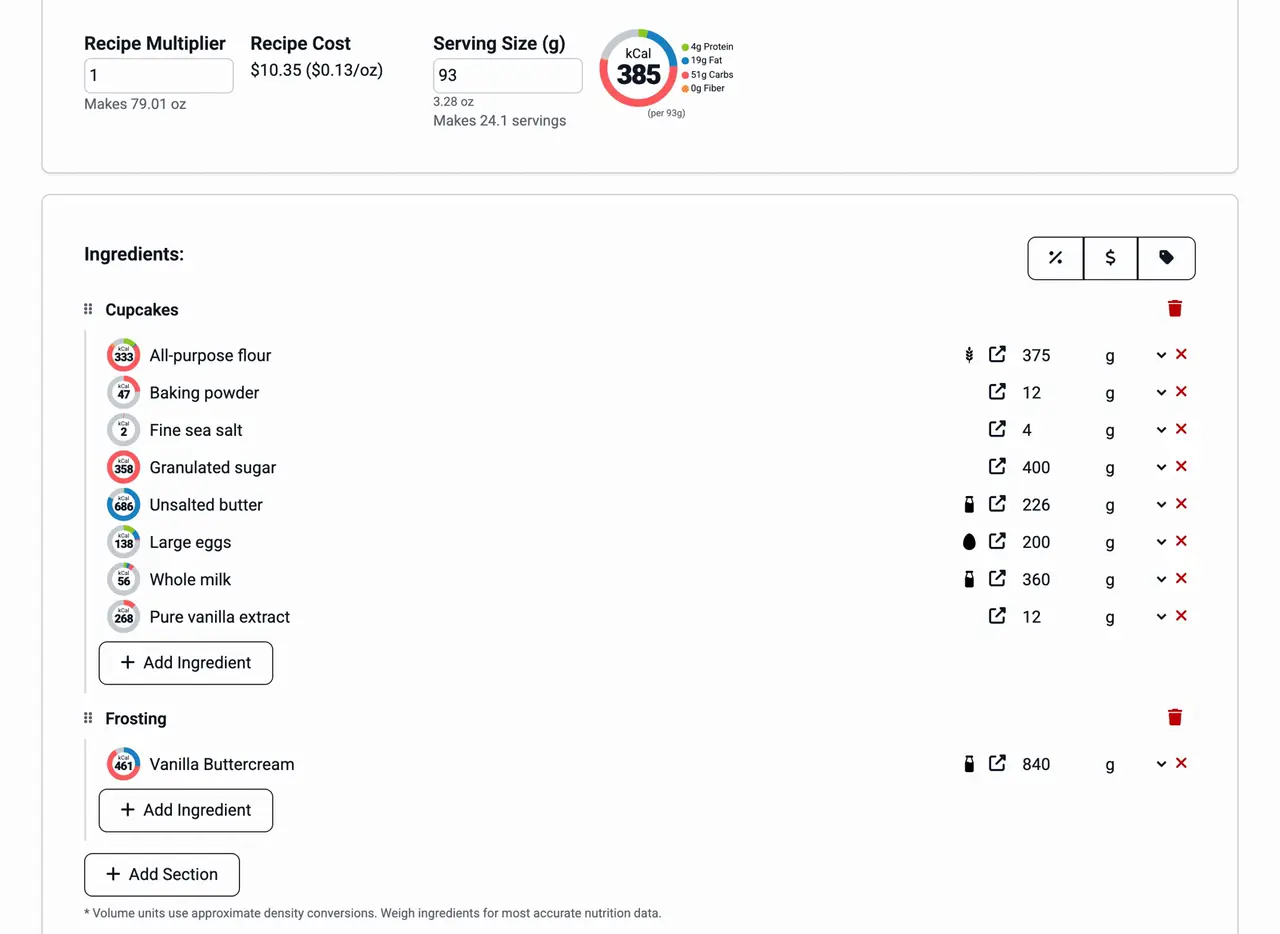
The salsa, the marinade, the slaw and the house sauce are made in bulk at the commissary and used across the menu. Save each as a recipe and add it as an ingredient to the tacos, bowls and sandwiches it goes into. Its cost carries into every item. See recipes inside recipes.
Allergens
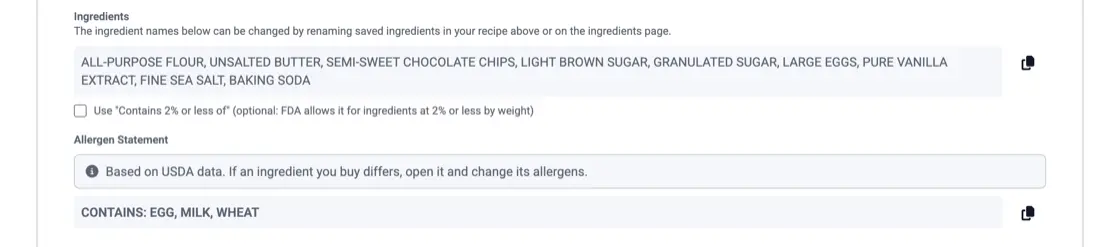
Questions come at the window with a line waiting. KitchenSync detects the FDA's nine major allergens from USDA ingredient descriptions and writes a Contains statement for each item, with a copy button, so you can print an allergen sheet to keep on the truck. Check it against the labels on what you buy. See allergen detection.
Log each purchase, compare suppliers by price per gram, review on a schedule, and decide when to reprice, reformulate or change pack size.

The nine major allergens, whether you need a Contains statement, naming the nut or fish, FDA's 2025 tree nut list, sesame, and "may contain".
Enter the item as a recipe and add the prices you pay. KitchenSync shows the batch cost and the cost per unit of weight. Multiply the cost per ounce by the portion you serve, then compare that with the price on the board.
Yes. Choose New version on the recipe and change the copy. The regular recipe stays as the primary version, and both sit in one dropdown. See recipe versioning for the details.
Generally not for food made to order. If you bottle your hot sauce or sell packaged cookies, those are packaged foods with their own labeling rules, and KitchenSync makes the Nutrition Facts label and ingredient list from the recipe. Ask your health department what applies to you.
Add your menu items and the prices from each store. Start free.
Sign Up Free →Need more recipes? See KitchenSync plans and pricing