You don't need a lab test to make a Nutrition Facts label. FDA lets you calculate the numbers from your recipe and a nutrient database such as USDA FoodData Central. The condition is that the label is right: FDA's Food Labeling Guide says that "regardless of its source, a company is responsible for the accuracy and the compliance of the information presented on the label."
The calculation takes seven steps:
- Weigh every ingredient in grams
- Pick the database entry that matches what you use
- Weigh the finished batch, not the dough
- Set the serving size from FDA's reference amount
- Calculate each nutrient per serving and round it
- Work out added sugars from your recipe
- Choose the label format that fits your package
Before you start, it helps to know how FDA checks a label, which products need a lab after all, and what the label has to show. If you're not sure you need a label at all, start with who needs a Nutrition Facts label.
How does FDA check whether your label is right?
If FDA tests your product, it takes 12 packages, one from each of 12 randomly chosen shipping cases from a lot, blends them, and analyzes the blend with standard lab methods. The result is compared with your label. These rules are in FDA's nutrition labeling regulation, 21 CFR 101.9.
FDA sorts nutrients into two groups. Class I nutrients are ones added to fortified or fabricated foods. Class II nutrients occur naturally, so a baker who doesn't add vitamins or isolated fiber deals almost entirely with Class II. The lab result has to land here:
| Nutrient | The lab result must be |
|---|---|
| Class I vitamins, minerals, protein, dietary fiber | At least 100% of the label value |
| Class II vitamins, minerals, protein, total carbohydrate, dietary fiber, poly- and monounsaturated fat | At least 80% of the label value |
| Calories, total sugars, added sugars (when all sugars are added), total fat, saturated fat, trans fat, cholesterol, sodium | No more than 120% of the label value |
The limits run one way. A product that tests a little higher in the "good" nutrients than the label says, or a little lower in calories, fat, sugar or sodium, is acceptable, as long as the difference is a reasonable one for careful production. The risk is understating calories, fat, sugars or sodium, or overstating fiber, protein, vitamins and minerals.
You also have to keep written records, such as recipes, formulations or batch records, that back up certain numbers on the label. One of them is added sugars when a food has both natural and added sugars. Keep those records for at least two years after the food is shipped or sold, and show them to FDA if it asks. Your saved recipe, with dated versions, is part of that record.
When is a lab test worth paying for?
FDA's labeling guide says companies that calculate from ingredient databases should check their results against lab analysis of the same food. A lab test is most worth paying for when:
- cooking changes the food in ways a scale can't measure, such as frying, where the food absorbs fat from the oil, or fermentation, where sugars get used up;
- you add vitamins, minerals, protein or fiber to the food, because added nutrients have to test at 100% of the label value, with no margin below it;
- a store, distributor or co-packer asks for a lab report with your label.
What does the label have to show?
Use the current Nutrition Facts format from FDA's 2016 update; the deadlines to switch to it have passed.
The required nutrients, in label order, are calories, total fat, saturated fat, trans fat, cholesterol, sodium, total carbohydrate, dietary fiber, total sugars, added sugars, protein, vitamin D, calcium, iron and potassium. Vitamins A and C are now optional.
% Daily Value is the nutrient amount divided by its Daily Value. For adults and children 4 and older, the Daily Values are:
| Nutrient | Daily Value |
|---|---|
| Total fat | 78 g |
| Saturated fat | 20 g |
| Cholesterol | 300 mg |
| Sodium | 2,300 mg |
| Total carbohydrate | 275 g |
| Dietary fiber | 28 g |
| Added sugars | 50 g |
| Protein | 50 g |
| Vitamin D | 20 mcg |
| Calcium | 1,300 mg |
| Iron | 18 mg |
| Potassium | 4,700 mg |
You can calculate %DV from either the rounded label amount or the unrounded amount, and you round the percentage to the nearest 1%. Protein %DV is optional unless you make a protein claim or the food is for children under 4. If you do show it, it has to be calculated from protein corrected for quality (a score called PDCAAS), which a database won't give you. Without that value, leave protein %DV off.
How to calculate the label, step by step
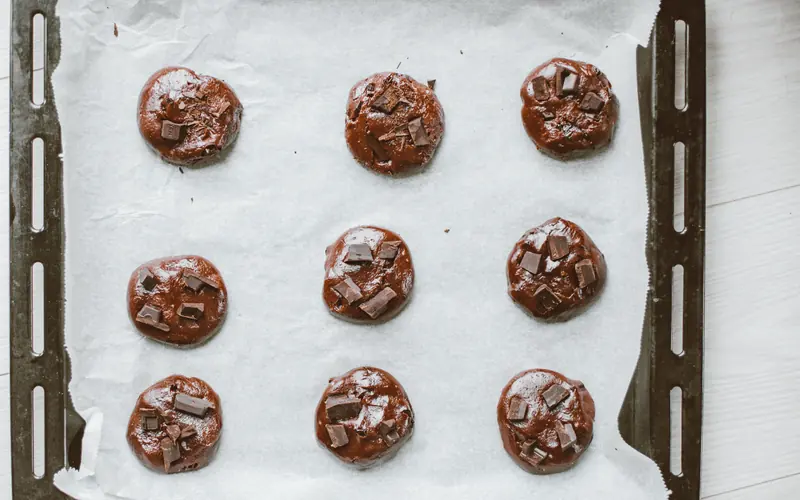
The example below is a batch of chocolate chip cookies. The numbers are made up to show the arithmetic.
1. Weigh every ingredient in grams
Weigh every ingredient on a scale that reads to the gram, and record the weights. Nutrient databases report values per 100 grams, so grams are what the math runs on. A "cup of flour" can vary by tens of grams depending on how it's scooped. If a recipe is written in cups and spoons, convert it once by weighing, then work from the weights. The post on converting cups to grams covers why volume is unreliable and how to convert.
2. Pick the database entry that matches what you use
Match each ingredient to an entry that describes what you actually use. USDA FoodData Central has several types of data. Foundation Foods holds analytical data on minimally processed foods. SR Legacy is historic data from analyses, calculations and published literature; its final release was in April 2018. Branded Foods holds data taken from the labels of branded products. A branded entry for the exact chocolate chips you buy can be closer than a generic one, but it is the manufacturer's label, rounded the same way yours will be.
Watch for raw versus cooked entries, salted versus unsalted butter, and enriched versus unenriched flour. Each of those choices moves sodium, iron or fat. The guide to choosing FoodData Central entries goes through the common mistakes.
3. Weigh the finished batch, not the dough
Baking drives off water. The fat, protein and sugar stay in the cookie, so the same nutrients end up in fewer grams. If you divide by the raw dough weight, every nutrient per serving comes out too low.
In the example, the dough weighs 2,073 g and the baked cookies weigh 1,890 g. That is 183 g of water lost, about 8.8% of the dough weight. Suppose the batch totals from the database are 9,100 calories, 452 g fat, 250 g saturated fat, 1,450 mg cholesterol, 3,600 mg sodium, 1,200 g total carbohydrate, 40 g fiber, 760 g total sugars and 100 g protein, and your recipe records show 752 g of added sugars.
For a 28 g serving:
- On the baked weight: 9,100 ÷ 1,890 × 28 = 134.8 calories.
- On the raw dough weight: 9,100 ÷ 2,073 × 28 = 122.9 calories.
The raw-weight figure rounds to 120 on the label, while the product actually has about 135. That is 112% of the label value, inside FDA's 120% limit but with most of the margin gone before any database error is counted. Weigh the finished product every time you change the recipe or the bake. The post on cooking moisture loss covers frying, reductions and other cases where weight moves more.
4. Set the serving size from FDA's reference amount
You don't pick the serving size. It comes from the amount FDA says people usually eat of your kind of product, called the Reference Amount Customarily Consumed (RACC), listed in FDA's table of reference amounts. A few from that table:
| Product | RACC |
|---|---|
| Cookies | 30 g |
| Brownies | 40 g |
| Grain-based bars, such as granola bars | 40 g |
| Breads (not sweet quick breads), rolls | 50 g |
| Bagels, muffins (not English muffins) | 110 g |
| Dips and dipping sauces, including salsa | 2 tbsp |
| Major condiments, such as ketchup, soy sauce, marinades | 1 tbsp |
For foods sold in pieces, FDA's rule turns the RACC into a serving based on how much one piece weighs:
- A piece weighing 50% or less of the RACC: the serving is the number of whole pieces closest to the RACC.
- More than 50% but less than 67%: you may declare one piece or two.
- 67% or more but less than 200%: the serving is one piece.
The example cookies weigh 14 g each, which is 47% of the 30 g RACC. Two cookies (28 g) is closer to 30 g than three (42 g), so the serving is 2 cookies (28g). A 36 g cookie would be 120% of the RACC, so its serving would be 1 cookie.
A package sold on its own that holds less than 200% of the RACC is a single serving, and the whole package is labeled as one serving. Packages holding 200% to 300% need a second column for the whole package.
Servings per container are rounded to the nearest whole number, except that between 2 and 5 servings you round to the nearest 0.5. When you round, the count is shown with "about", as in "about 3.5 servings". A bag of 24 of the example cookies holds 336 g, or exactly 12 servings. The guide to choosing a serving size works through more cases, including granola and hot sauce.
5. Calculate each nutrient per serving and round it
Divide each batch total by the finished weight, then multiply by the serving size. Then round each value using FDA's rounding rules. These are the ones that come up most:
| Nutrient | Rounding rule |
|---|---|
| Calories | Under 5: may be 0. Up to 50: nearest 5. Above 50: nearest 10. |
| Total fat, saturated fat, trans fat | Under 0.5 g: 0. Under 5 g: nearest 0.5 g. 5 g and up: nearest 1 g. |
| Cholesterol | Nearest 5 mg; 2 to 5 mg may be "less than 5 mg." Under 2 mg, with no claim about fat, fatty acids or cholesterol: declare 0, or leave the line off and add "Not a significant source of cholesterol" at the bottom of the panel. |
| Sodium | Under 5 mg: 0. 5 to 140 mg: nearest 5 mg. Above 140 mg: nearest 10 mg. |
| Total carbohydrate, protein | Nearest 1 g. Under 1 g may be "less than 1 g"; under 0.5 g may be 0. |
| Dietary fiber, total sugars, added sugars | Nearest 1 g. Under 1 g may be "less than 1 g" (under 0.5 g may be 0), or the line can be left off with a "Not a significant source of ..." statement at the bottom; for sugars, only when no claim is made about sugars or sweeteners. |
| Vitamin and mineral %DV | Nearest 2% up to 10%, nearest 5% up to 50%, nearest 10% above that. |
Here are the cookies per 28 g serving, with %DV calculated from the unrounded amounts. Using the declared amounts instead is also allowed; it would give 18% for saturated fat and 7% for total carbohydrate. The table leaves out trans fat and the four required vitamins and minerals, which follow the same steps.
| Nutrient | Calculated | On the label | %DV |
|---|---|---|---|
| Calories | 134.8 | 130 | |
| Total fat | 6.70 g | 7 g | 9% |
| Saturated fat | 3.70 g | 3.5 g | 19% |
| Cholesterol | 21.5 mg | 20 mg | 7% |
| Sodium | 53.3 mg | 55 mg | 2% |
| Total carbohydrate | 17.8 g | 18 g | 6% |
| Dietary fiber | 0.59 g | Less than 1 g | 2% |
| Total sugars | 11.3 g | 11 g | |
| Added sugars | 11.1 g | 11 g | 22% |
| Protein | 1.48 g | 1 g |
Saturated fat sits under 5 g, so it rounds to the nearest half gram: 3.70 becomes 3.5. Calories are above 50, so 134.8 rounds to the nearest 10.
KitchenSync is nutrition label and recipe costing software for small food businesses. It does this step's arithmetic from your recipe: FoodData Central values summed by gram, divided by the finished weight you enter, and rounded to FDA's increments. The nutrition label generator page has more detail. To check the cookie example against your own bake, enter one of your recipes with its finished batch weight and compare the label with your working.
6. Work out added sugars from your recipe
A database entry describes an ingredient, not how you used it, so it can't tell which sugars count as added on your label. The granulated sugar, the brown sugar and the sugar in the chocolate chips all count as added sugars, whatever the database entry calls them. That accounts for 752 g of the 760 g total; the rest is natural sugar in the flour, butter and eggs. Add up the added sugars per serving and keep that record, since FDA requires it. The post on added sugars and sugar alcohols covers which ingredients count, including sugars already added to ingredients you buy, and sweeteners that don't count.
7. Choose the label format that fits your package
Most packages use the standard vertical label. If the package doesn't have about 3 inches of continuous vertical space, you can use the tabular (side-by-side) layout instead. Packages with 40 square inches or less of label space get more options, including a single-line format when a tabular one won't fit.
This is general information about federal labeling rules, not legal advice. Your product and your state can change the answer, so check with your state agriculture or health department, or a labeling professional, about anything you're unsure of.
Sources
- 21 CFR 101.9, Nutrition labeling of food, Electronic Code of Federal Regulations
- 21 CFR 101.12, Reference amounts customarily consumed per eating occasion, Electronic Code of Federal Regulations
- A Food Labeling Guide: Guidance for Industry, U.S. Food and Drug Administration
- Changes to the Nutrition Facts Label, U.S. Food and Drug Administration
- FoodData Central Data Documentation, USDA Agricultural Research Service
- A review of different frying oils and oleogels as alternative frying media for fat-uptake reduction in deep-fat fried foods, Mahmud et al., Heliyon, 2023